
Designing Core Interactions for AI-Powered Video Creation Platform
View the Live Project
Click to Copy!
Copied!

Role
Product Designer
Industry
Generative AI, B2C SaaS
Team
Co-founder, Frontend
Duration
2 months
Summary
I designed the user experience for an AI-powered video generation platform that turns product images into ready-to-publish marketing videos. My work focused on simplifying AI workflows, improving user control over generative outcomes, and explainability.
Problem
The platform could technically generate videos, but users didn’t understand how or why the AI produced certain results.
Workflows were unclear, feedback loops were missing.
The design challenge was to make the generative process transparent, structured, and controllable, while keeping it simple for non-technical users.
Solution
I defined a guided, step-based workflow for video creation (Upload → Template → Generate), designed interaction patterns that explain AI decisions.
The result: an experience that feels structured, fast, reliable and trustworthy, reducing user uncertainty.
Design Process & Rationale
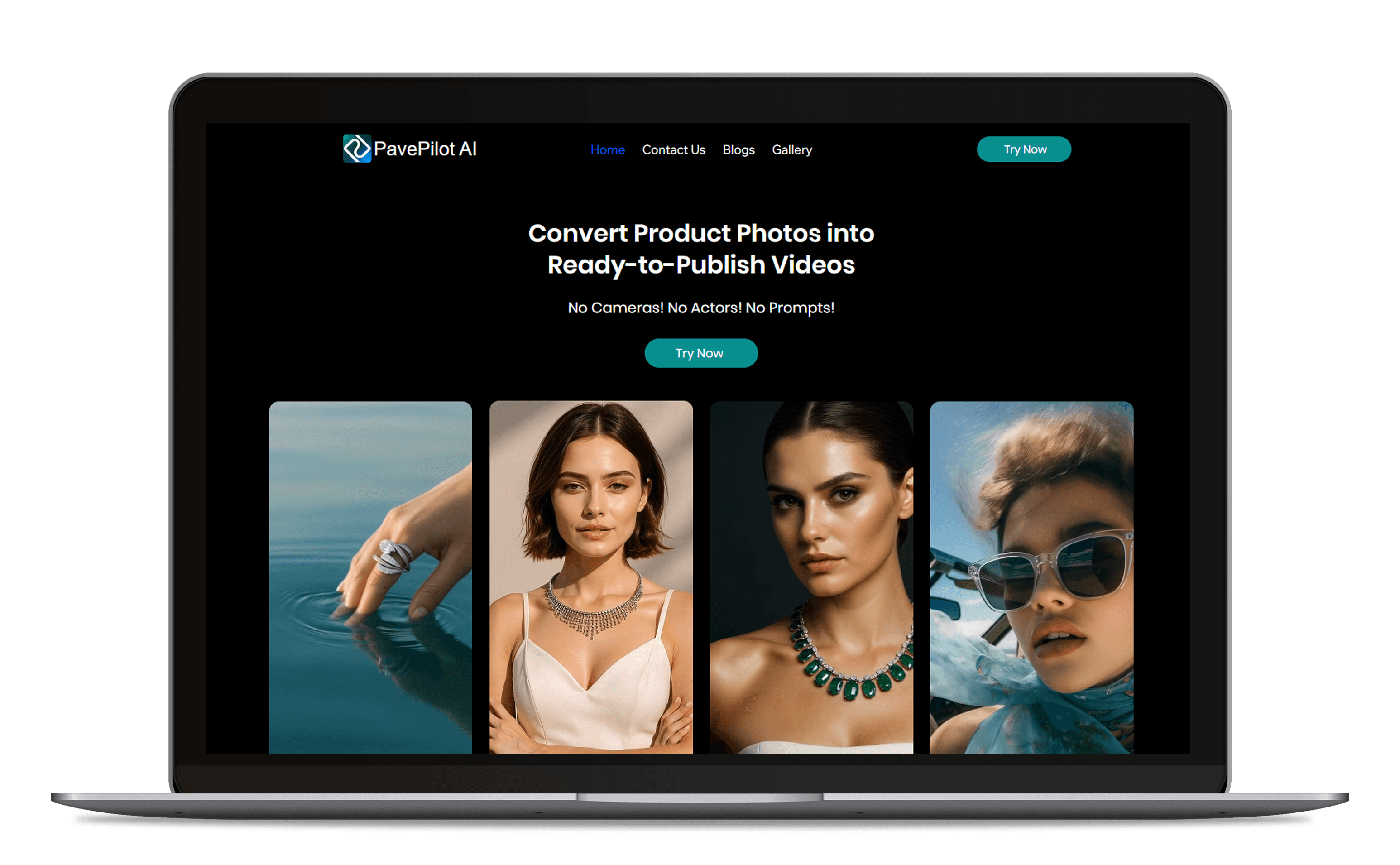
Phase 1 - Discovery
Challenge: Understanding how users perceive and interact with generative AI to design simpler, more aligned workflows and mental models
Studied generative platforms (Runway, Kaiber, Synthesia) to analyze how they communicate AI progress & control.
Mapped pain points from early testers: confusion during generation, lack of control, unpredictable results.
Reviewed e-commerce content workflows to identify moments where automation could fit naturally.
Analyzed user personas with varied tech exposure: content creaters, marketers, small buisness owners.
Phase 2 - Strategic Foundation
Challenge: Translate generative AI complexity into a simple experience.
Mapped the complete journey from image upload to video generation, highlighting gaps and redundant steps.
Reframed the interface from “AI does it all” to “AI helps you do it faster,” positioning it as an ease tool rather than a tech product.
Simplified flow logic, users always know what’s happening, what’s next, and what’s done.
Key Decision: Highlighted the most important actions which make the user task easier and quiker like template selection.
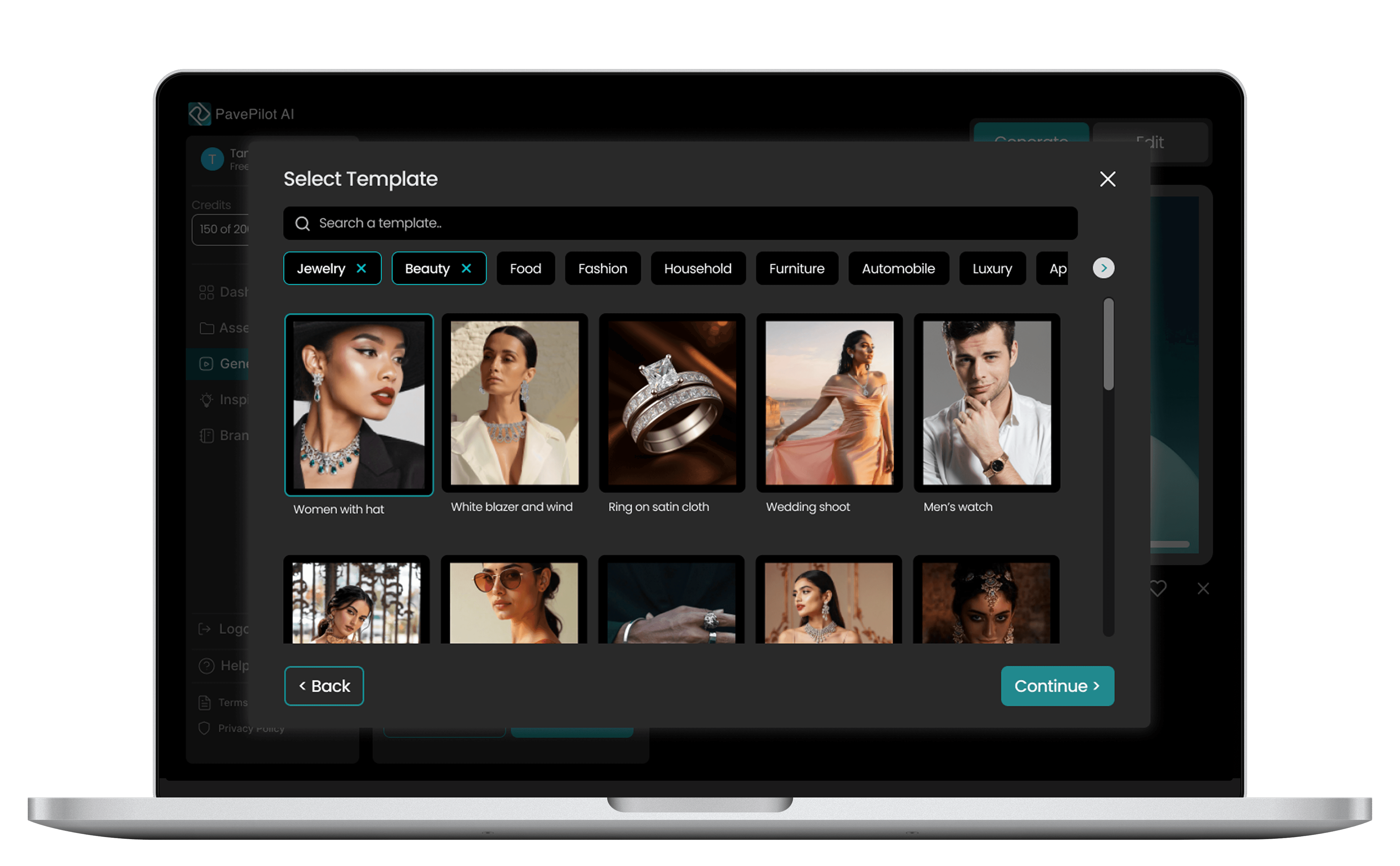
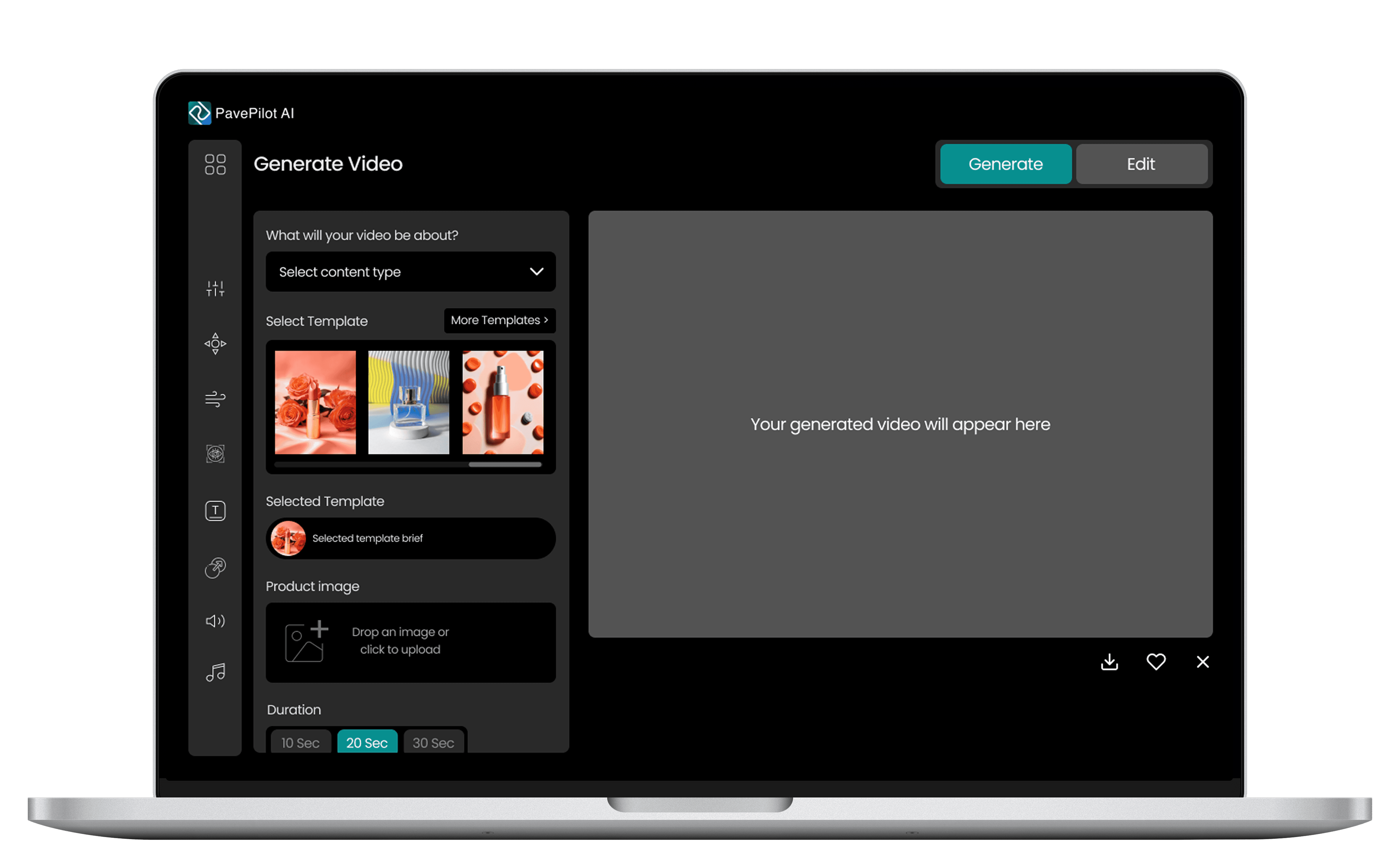
Phase 3 - Design
Challenge: Making the experience scalable, adaptable, and cognitively effortless.
Designed the interface for 3-step creation flow with inline progress and instant re-entry points.
Designed a central Dashboard for quick access to services, updates, and templates.
Designed an Inspiration Page for effortless discovery of trending styles and templates.
Designed the Assets Library for managing reusable media, brand elements, and AI-generated clips.
Built modular layouts and a design system supporting new features without rework.
Key Decision: Prioritized a modular, system-first approach to keep the experience adaptable as AI capabilities evolve.
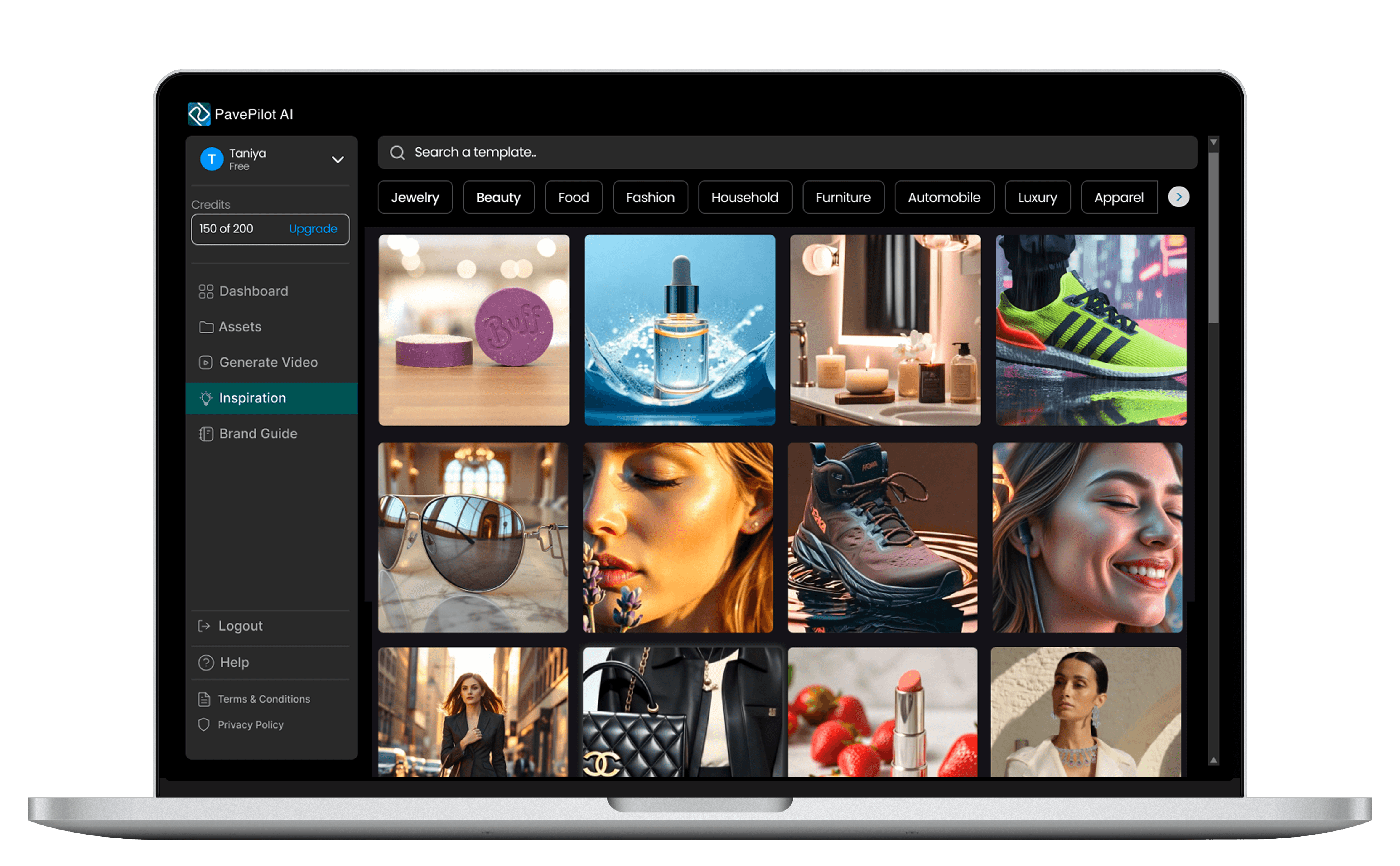
Impact
Achieved significant increases in sales conversions, directly correlating with improved discoverability and usability.
Drove increase in organic traffic through strategic implementation.
New users could create their first video without tutorials, the interface guided them naturally through each step.
The clarity and structure of the UX directly accelerated product release, enabling confident beta rollout and early user adoption.
Takeaways
Ease drives adoption. Users return to tools that feel natural and fast.
Design for growth. Scalable systems future-proof evolving products.
Clarity builds confidence. Feedback and flow transparency matter more than advanced features.
Every action should feel obvious. Reducing thought load creates emotional ease.